tree·canopy

Walk a job end to end.

tree·canopy is a tree survey app that takes an arborist from the first pin and voice note to a BS 5837 report, an accepted quote and a job for the crew in six steps.

Six steps, from the first pin to an accepted quote and a crew on the job. It runs on the phone or tablet you already carry.

01

Drop a pin per tree.
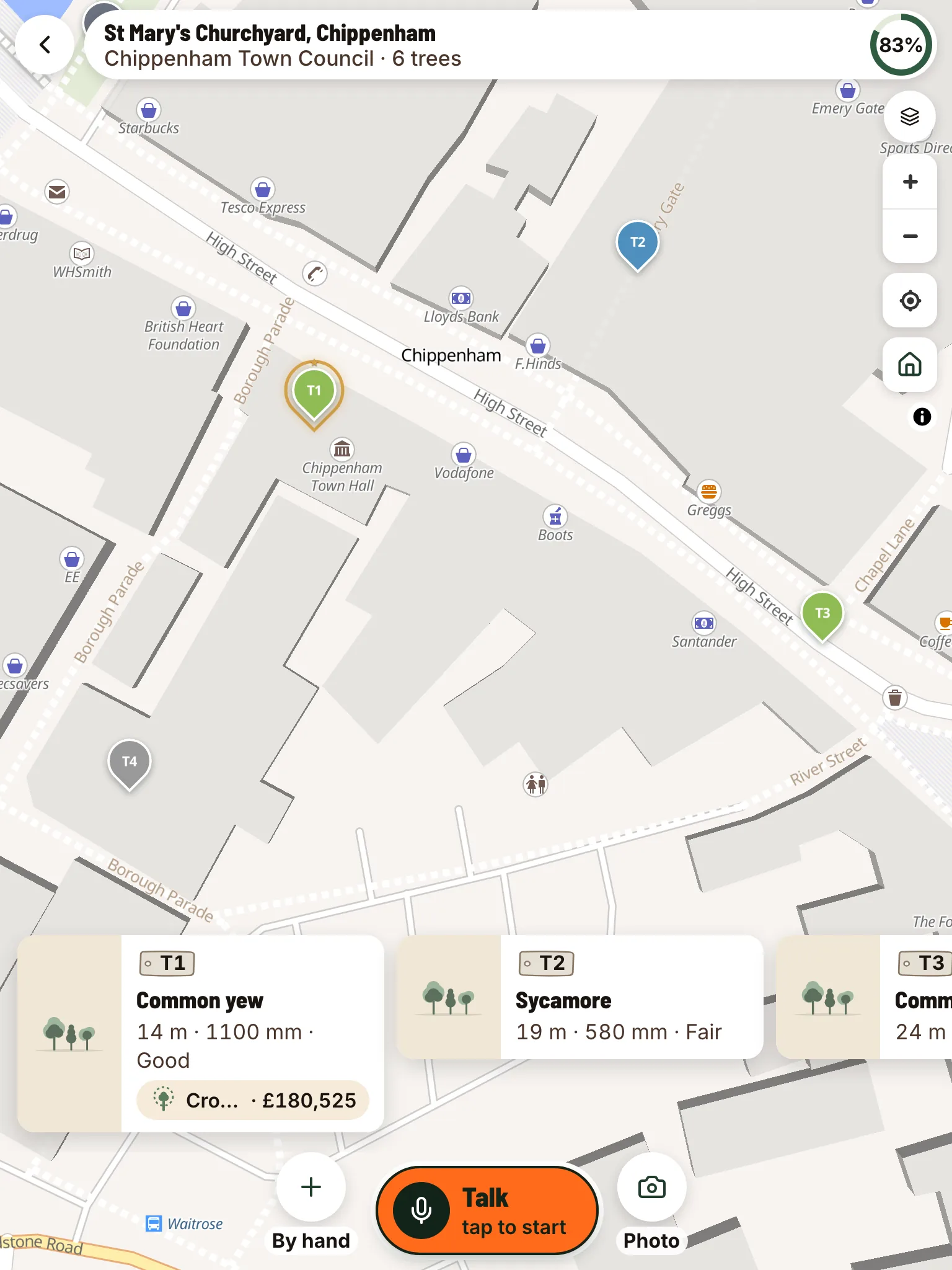
Open the job. Walk the boundary; the polygon shades the area you’ve covered. Tap the mic, then tap the map where the tree is. The pin takes its colour from the retention category: green to keep, blue for moderate, grey for lower value, red to remove.

The map keeps working when the signal drops. Pins, photos, and voice transcripts are saved on the device and sync when you’re back online.

Every tree pinned on the site, each with its own record.
02

One tree, one breath.

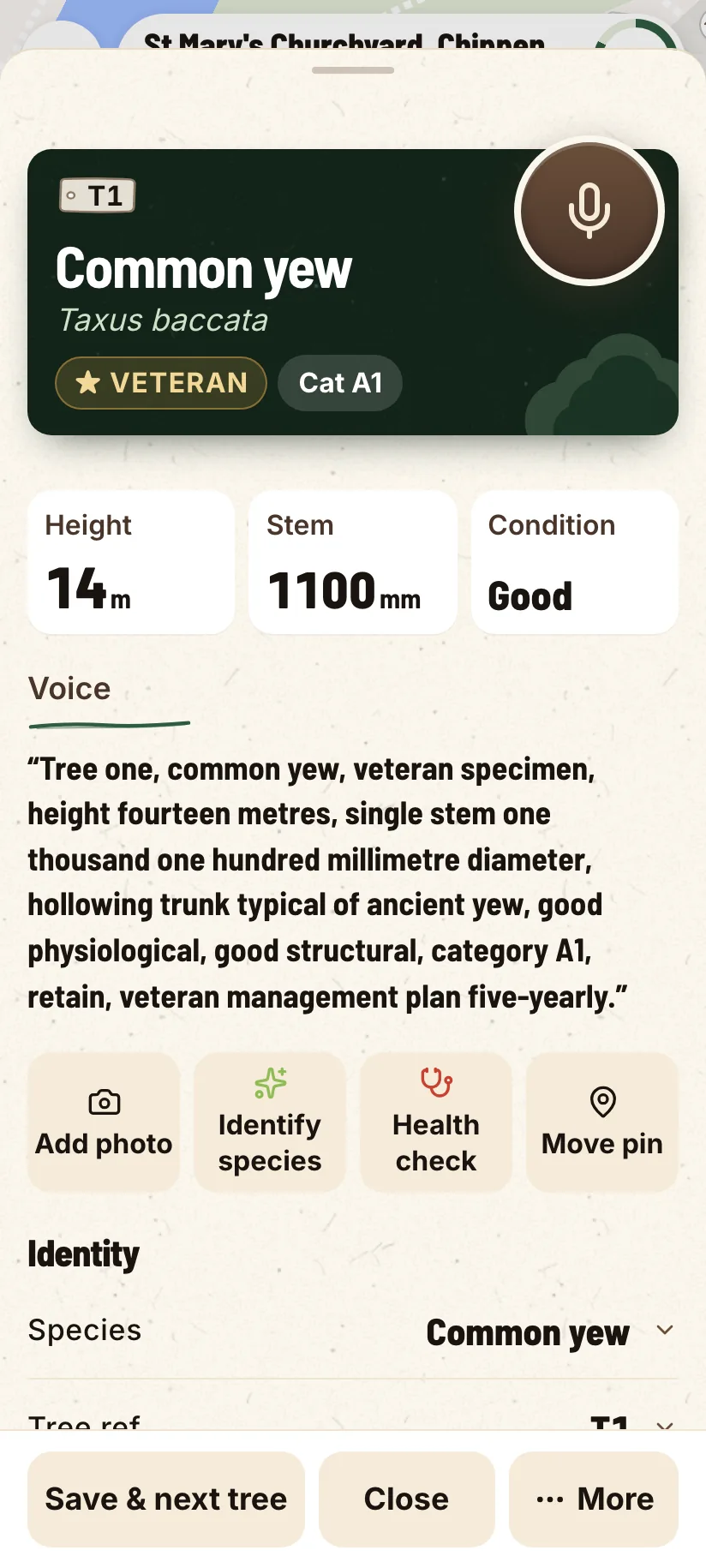
Hold the mic. Speak the inspection: species, stem diameter, height, crown spread, retention category, recommendations. The form fills itself while you talk. The verbatim transcript stays attached to the tree for your audit trail.

Re-dictate any time. Tap the mic again to update or correct. Every change is logged.

  • Twelve fields parsed in one breath
  • Protection radius recalculates live as you talk
  • Verbatim voice transcript saved alongside the parsed values
A tree record on a phone: species, size and condition, with the words you said kept on it.
03

Species and health from a single photo.

Snap a leaf. We return the top-three species candidates with confidence scores. You confirm: the AI suggests, the surveyor decides. Nothing auto-saves to the survey schedule without you tapping accept.

Spotted damage? Photograph it for a pest or disease suggestion that lands in the report’s health notes. Same flow as species, same audit trail, same queued save if the signal is gone.

  • Top-three suggestions, ranked by confidence
  • Pest and disease ID from a photo of the damage
  • Surveyor confirms, no auto-save
  • Bark and leaf photos both supported
04

Protection radius, drawn live.

The protection radius around each tree recalculates from the stem diameter as you record it. The constraints overlay shows the union of all radii on the map: the area that has to stay clear of root disturbance.

Toggle the layer on for the developer’s tree constraints plan figure. Toggle it off when you just want to read the survey.

  • Auto-calculated from stem diameter, not entered separately
  • Veteran-tree treatment built in
  • Constraints plan exports as a submission-ready figure

Calculated for T2 · sugar maple

Stem diameter
620 mm
Protection radius
7.4 m
Crown spread
11 m
Retention
Moderate

Recalculates the moment you finish dictating the stem diameter, so there is no spreadsheet to open afterwards.

05

A client-ready PDF, drafted in one tap.
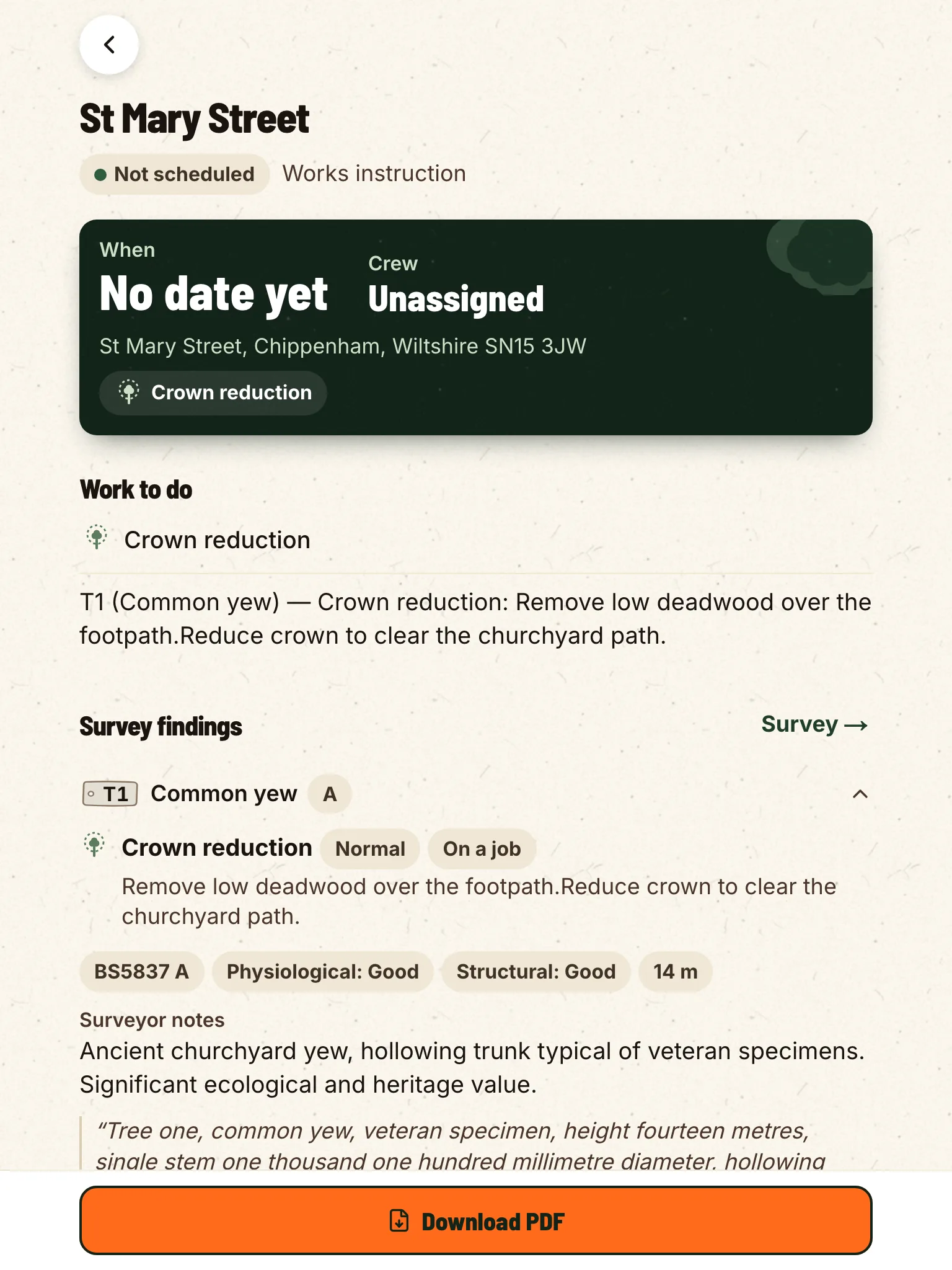
Cover, methodology, schedule of trees, constraints figure, per-tree narrative, conclusions, all drafted from the day’s voice transcripts and structured fields. You read it through with a coffee, edit two sentences, sign, and send.

The report follows the schedule your clients and reviewers already expect. The AI drafts and you sign.

  • Cover sheet rendered in your house style
  • Schedule of trees auto-paginated, ref · species · category · age · height · diameter · protection radius
  • Drafted conclusions per tree, edit before you sign
The works instruction, drafted from the survey: the work to do and what the survey found.
06

Survey done. Now win the job.

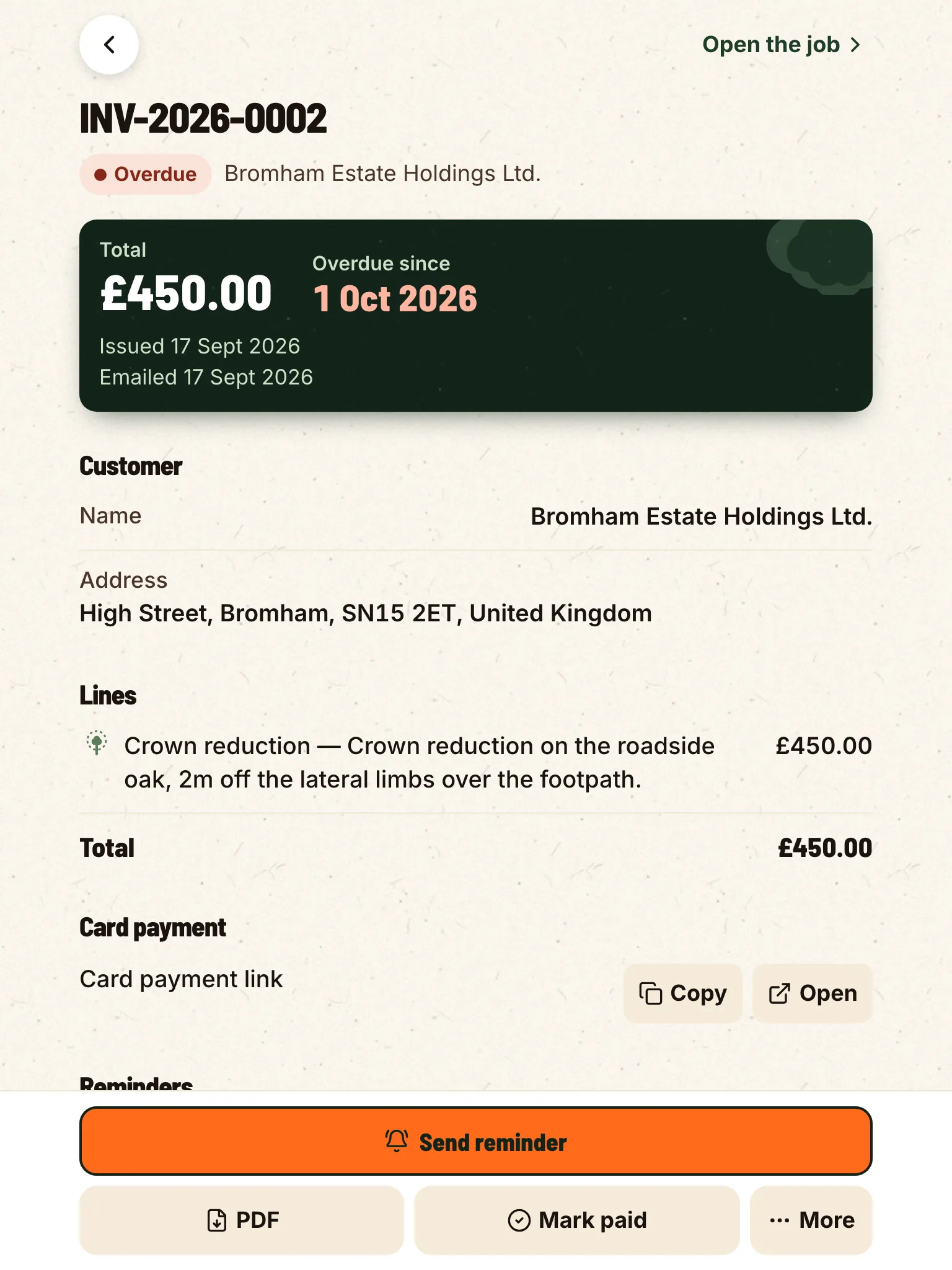
The recommendations you flagged become a priced quote in a tap: your currency, your tax note. Send the client a link; they accept or decline in the browser, on a page with your logo and your colours, and you can see exactly what they’ve seen.

An accepted quote becomes a job for the crew. Dispatch it, log progress by voice, send a completion report, then invoice it. The invoice has its own link where the customer can pay by card on a secure Stripe page. One status keeps the quote, the crew and the invoice in step.

  • Recommendations price up into a customer quote
  • A public accept or decline link, so nobody chases email threads
  • Accepted work runs as a dispatched job, closed by a completion report and an invoice
The priced line carries through to an invoice with a card payment link.

Try it on your next site.

14-day free trial, no card. Download it tonight and walk a job on Monday.