tree·canopy

Say the tree. Get paid.

Talk at the tree and it is a priced quote. Accepted in a tap, paid by card.

tree·canopy is a tree survey app for arborists and tree-care firms that records each tree by voice, drafts the BS 5837 report for UK work and sends priced quotes, with crew seats free.

See the live demo

Crew seats are free. Only the office pays.

14-day free trial · No card required · Cancel anytime · Read-only forever after trial

A drawing of the Numbers screen with example figures. One orange tree for each month, taller where more was paid in, with last year as a dashed line behind. Below it, quotes fork into won and lost and a week shows its booked days.

  • Built with working and consulting arborists
  • Crew seats are free
  • GDPR and EU data residency
  • On Google Play and the App Store

One job, from the first call to the money

Follow one oak through the app. The people and the figures are an example.

  1. 1

    A customer asks.

    Log the call, or take it from your request form. It is a lead.

  2. 2

    You say the tree.

    Species, size and condition go on its record, under its tag.

  3. 3

    It is a priced line.

    The tree, the work and your price. Nothing to type up later.

  4. 4

    She opens your page.

    Your logo, your colours, her oak drawn. Every firm gets its own look.

  5. 5

    She accepts. You are told.

    One tap, no login. The job is ready to book.

  6. 6

    Booked with a crew.

    It shows on their day. Crew seats are free.

  7. 7

    Kit checked.

    One press. Kit is switched on firm by firm, so ask us for it.

  8. 8

    The work is done.

    The crew marks it done on site. The oak is two metres smaller.

  9. 9

    Paid by card.

    The quote line carries through to an invoice with a card link.

  10. 10

    It shows in your year.

    Numbers draws what came in, a tree a month. October just grew.

A drawing of one example job. An oak stands on a ground line while the job goes past it: the customer’s call, the spoken note, the priced quote line, the customer’s page in the firm’s colours, the accepted quote, the booked job, the kit check, the cut, and the paid invoice. The payment then shows as part of October’s tree on the Numbers screen.
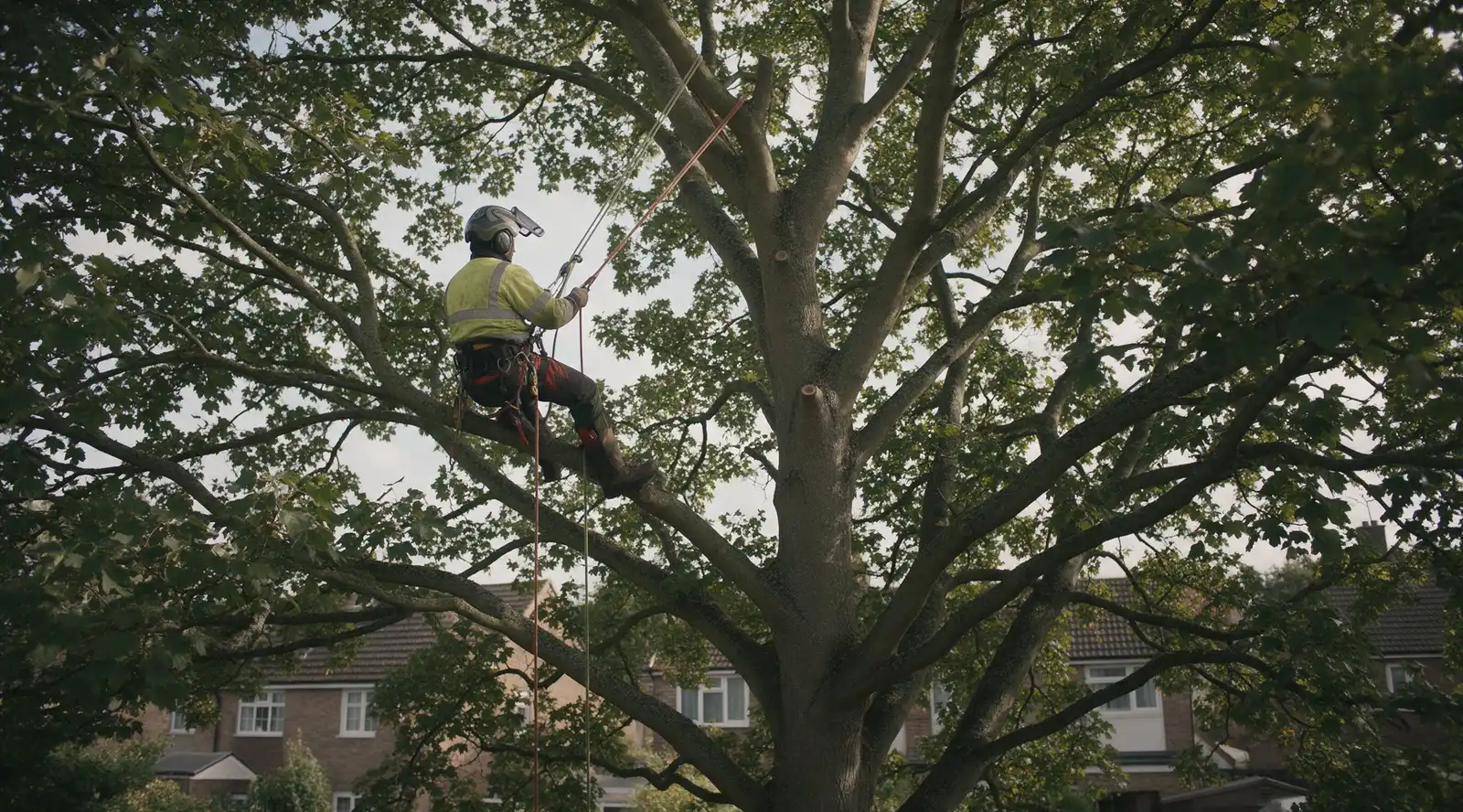
One job, from the first call to the money

A customer asks.

Log the call, or take it from your request form. It is a lead.

You say the tree.

Species, size and condition go on its record, under its tag.

It is a priced line.

The tree, the work and your price. Nothing to type up later.

She opens your page.

Your logo, your colours, her oak drawn. Every firm gets its own look.

She accepts. You are told.

One tap, no login. The job is ready to book.

Booked with a crew.

It shows on their day. Crew seats are free.

Kit checked.

One press. Kit is switched on firm by firm, so ask us for it.

The work is done.

The crew marks it done on site. The oak is two metres smaller.

Paid by card.

The quote line carries through to an invoice with a card link.

It shows in your year.

Numbers draws what came in, a tree a month. October just grew.

Skip the story

One tree, one breath.

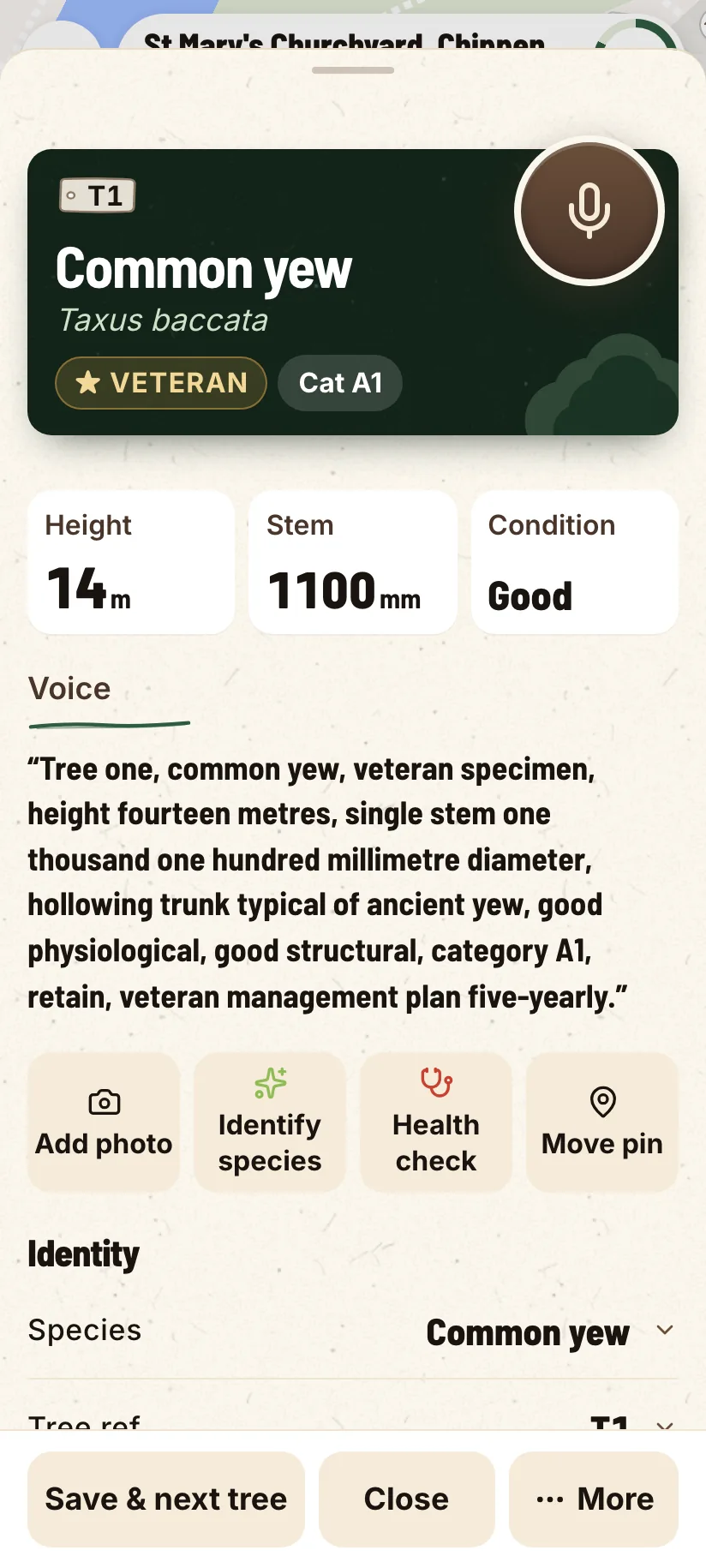
Hold the mic and say what you would say to your groundie: the species, the size, what is wrong with it, the work you would do and the price you would charge.

  • Species and health, from a photo
    Leaf or bark for the species suggestion. A photo of the damage for a pest or disease read. The AI suggests and you confirm before it lands on the sheet.
  • The words you said, kept
    The exact wording stays on the tree, as well as the values we pulled out of it. Tap the mic again to update, and every change is logged.
A tree record on a phone: species, size and condition, with the words you said kept on it.

Your quote, in your own look.

  • A tick list and one button
    They untick anything they do not want. One button carries the total.
  • Plain words on what accepting means
    A few short lines say what happens next, before they press anything.
  • Yes to some, no to one
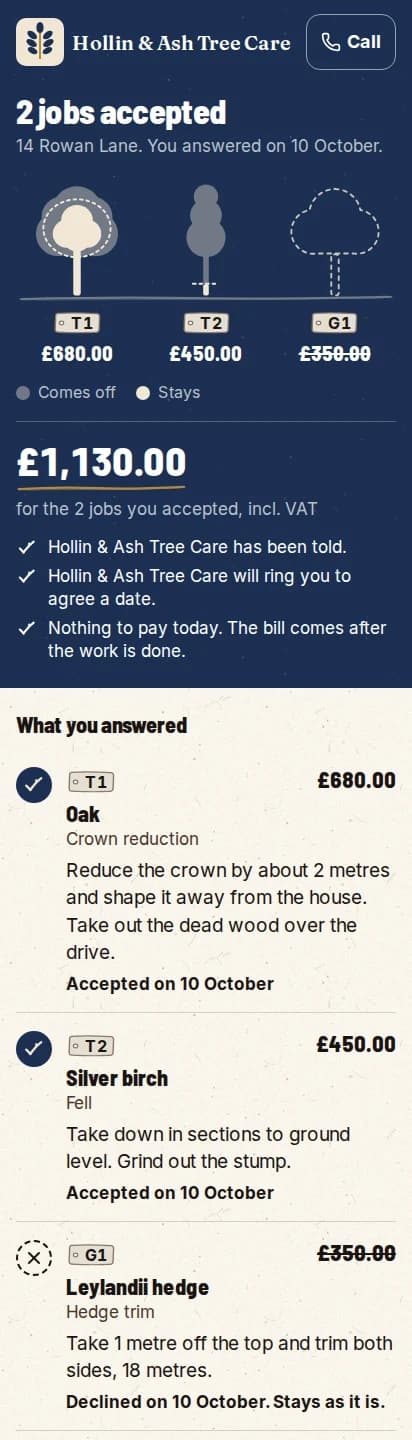
    They can accept several jobs at once, or decline one on purpose. You get one email.

Live now for quotes sent from the app.

A quote the customer has answered: two jobs accepted and one declined on purpose, with the trees drawn and the price of each.
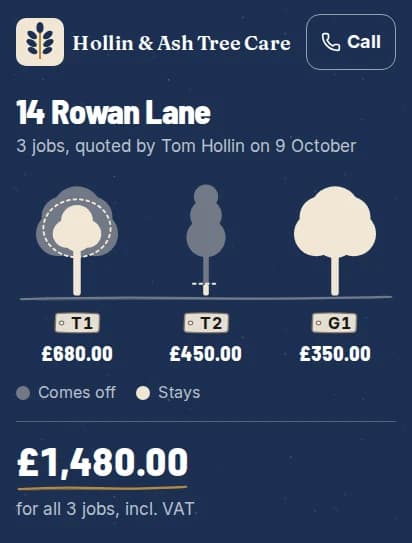
A quote on a phone in a navy and gold look: the firm’s logo, the customer’s three trees drawn, and the total.
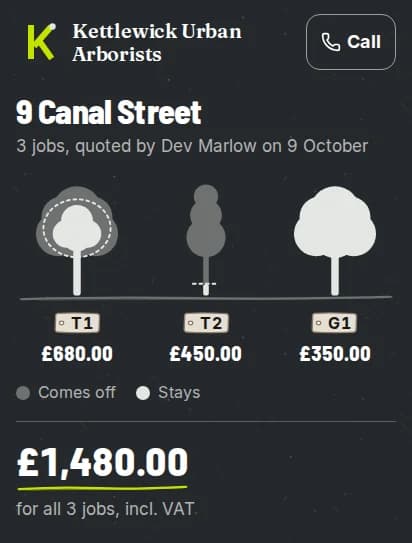
The same quote in a charcoal and lime look, with another firm’s logo.
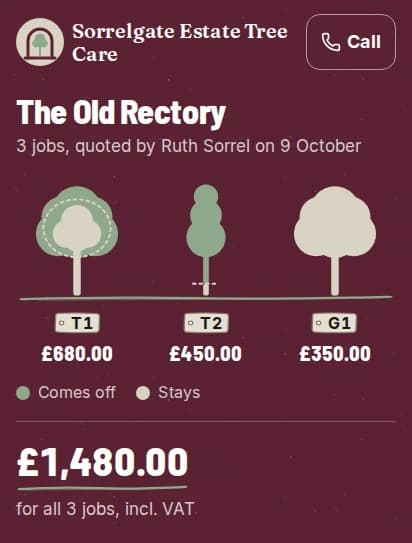
The same quote in a burgundy and sage look, with a third firm’s logo.
One quote, three made-up firms. The colours come from each logo.

Bring your whole crew for nothing.

Only the office pays.

A seat is an office login: you, anyone writing surveys and quotes, anyone booking work in. Crew leads and crew members never use a seat on any plan, Solo included, and there is no limit on how many you add. Take someone on in March and it costs you nothing.

Six people, two seats

  • You, running the firm1 seat
  • One surveyor writing the quotes1 seat
  • Four climbers and groundiesFree

Six of you on the books, two of the five seats used. Practice Crew comes with five office seats, so there are three left for the day you need them. Drop the surveyor and it is a one-seat firm on Solo. The four on the tools are still free.

The seat count is the whole pricing story. See what a plan costs.

Check the kit by tapping what is wrong.
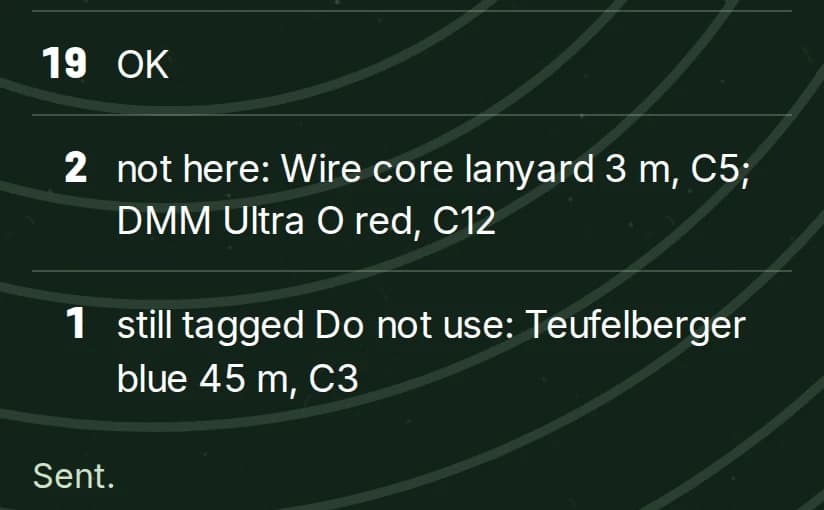
Kit is kept in sets: a climber’s bag, a rigging box, the chippers. Open a set and tap anything that is not there. One button records the rest, with who checked and when.

  • Tap only the exceptions
    Nothing is recorded until you press the button.
  • Do not use stays out of the count
    Kit tagged Do not use shows its tag and why, and is left out of the count.
The result of a kit check: how many are fine, what is not here, and what is still tagged Do not use.
What gets recorded: how many are fine, what is not here and what is still tagged.

Kit is switched on firm by firm. Ask us to switch it on for yours. Checking a set needs a signal for now.

Ask us to switch it on
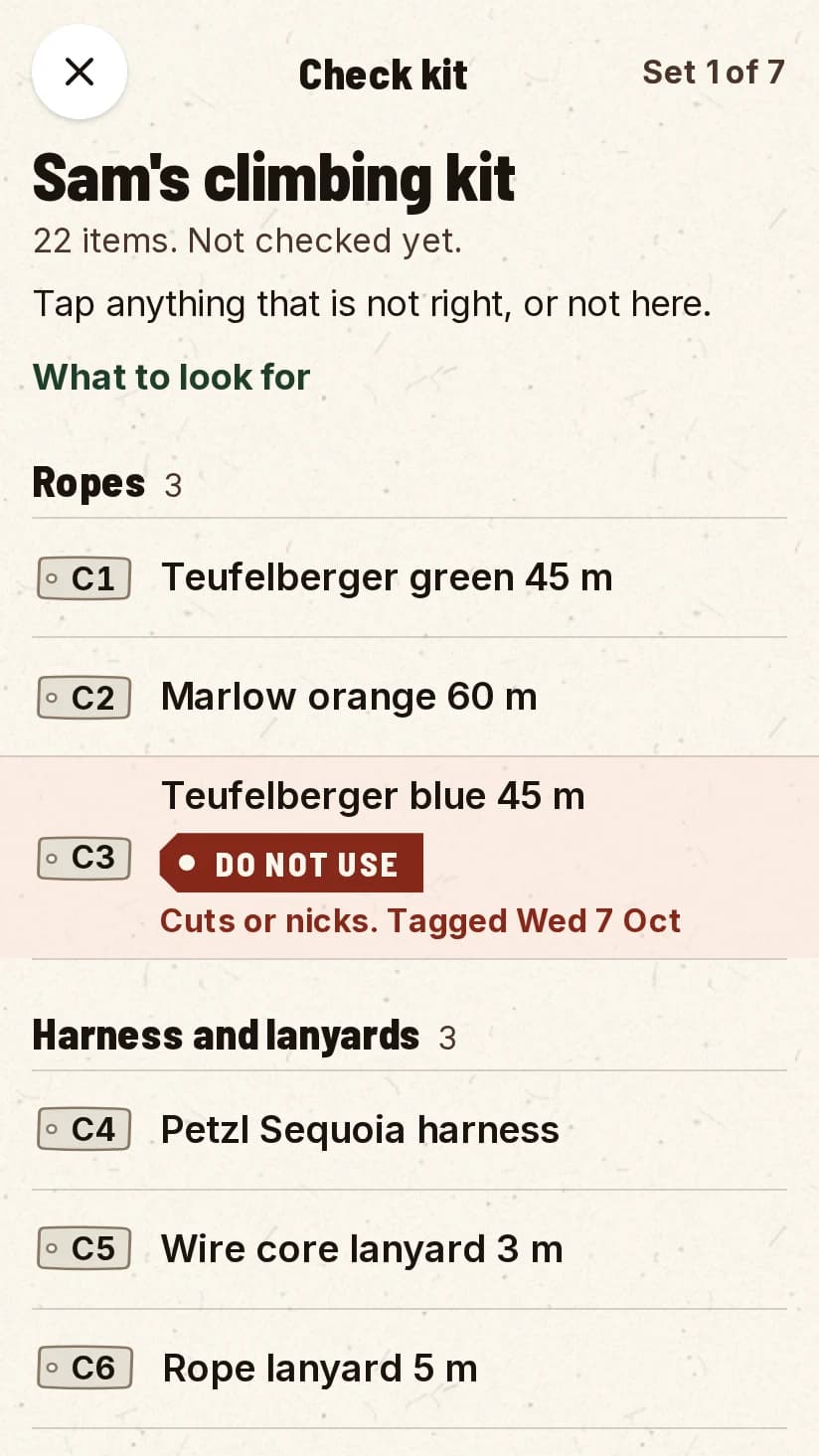
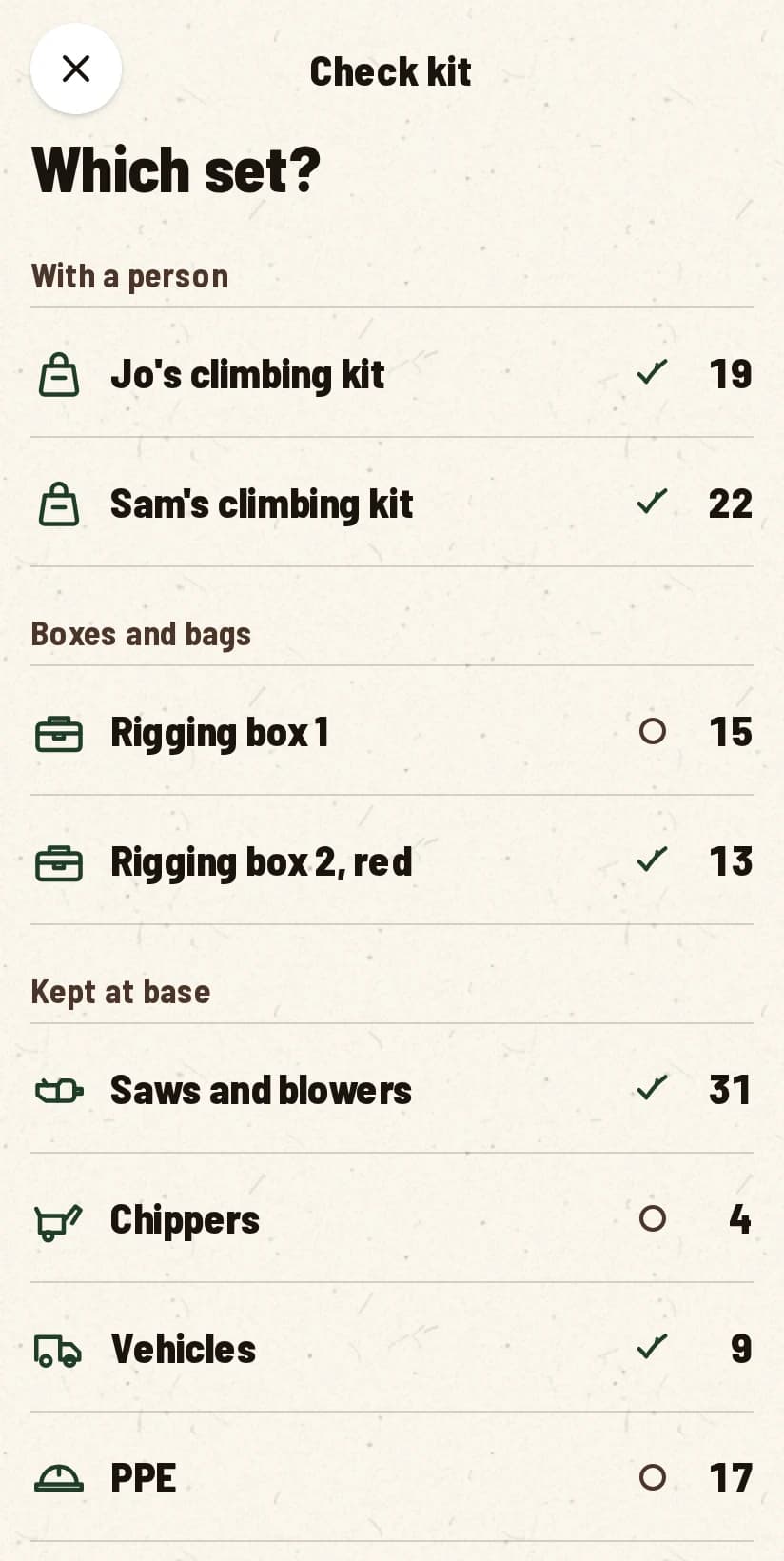
Checking a set of kit: tap what is not right or not here. Kit tagged Do not use shows its tag and the reason.
The list of kit sets to check: climbing kits, rigging boxes and kit kept at base.

See the money as trees.

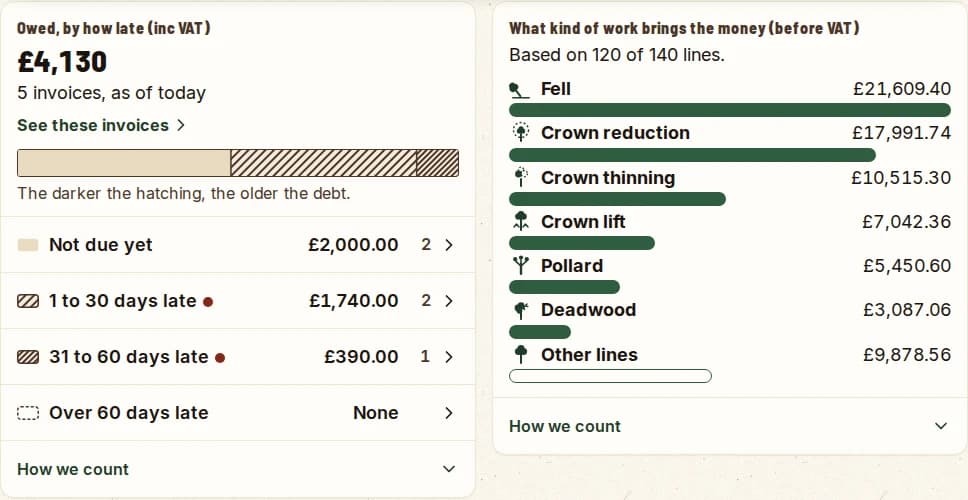
Numbers is for the office. What came in, what is owed, quotes won and lost and the days booked, each drawn so you can read it at a glance.

Every figure opens the invoices, quotes or jobs behind it. “How we count” under each card says how the number was made, and rows download as a spreadsheet. Where there is not enough data, it says so in words.
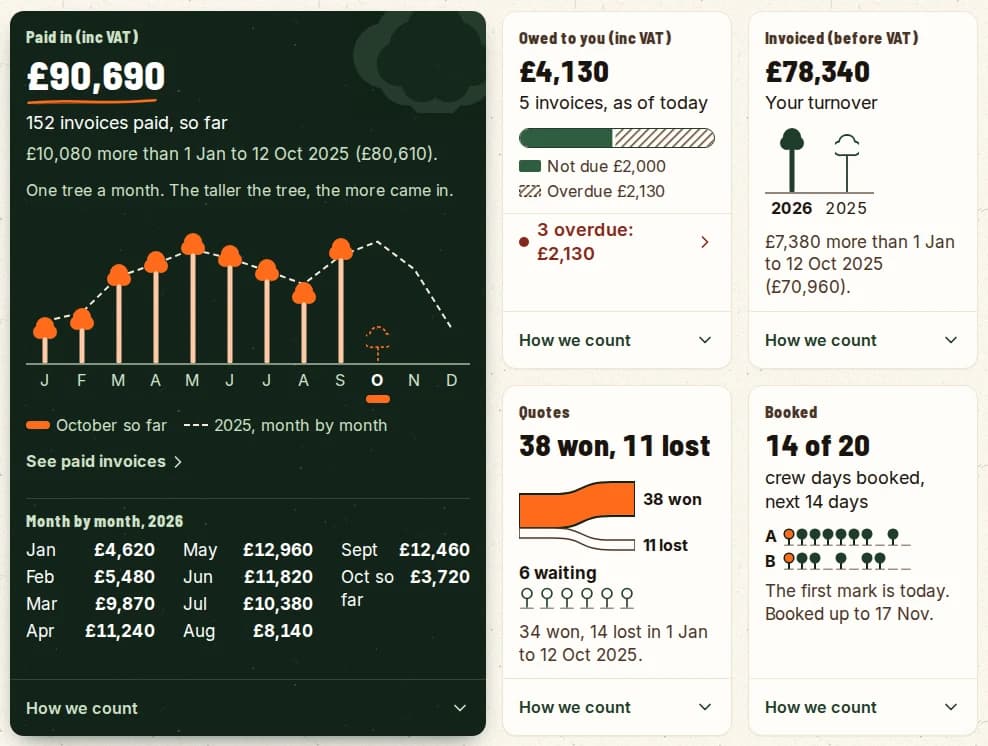
Numbers shows what happened. It does not give advice yet. Only admins can see it.

Numbers on a computer screen: money paid in drawn as a tree a month, then what is owed, what was invoiced, quotes won and lost, and booked days.
Money in Numbers: what is owed as a bar hatched darker as the debt gets older, and the kinds of work that bring the money in.
What is owed, hatched darker as it gets older, and the kind of work that brings the money.
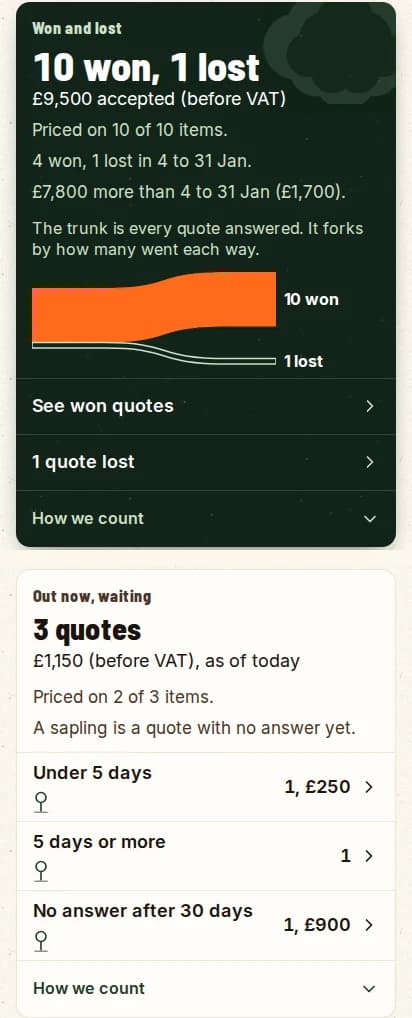
Quotes in Numbers: won and lost drawn as a fork off one trunk, and quotes still waiting drawn as saplings.
Won and lost as a fork. Waiting quotes are saplings.
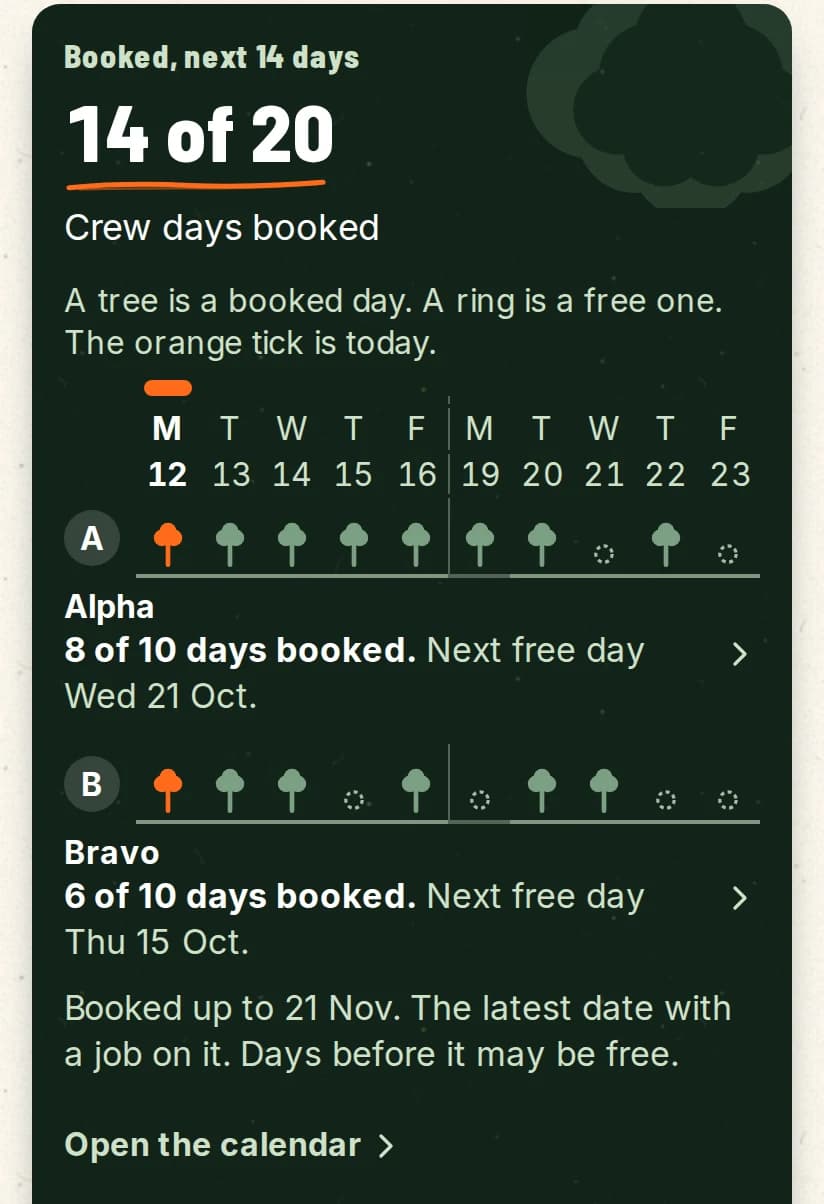
Jobs in Numbers: booked days for each crew, a tree for a booked day and a ring for a free one.
A tree for a booked day, a ring for a free one.

No signal at the back of the site.

A day’s survey is hours of walking. Losing it because a lane had no bars is not acceptable, so we built for that first.

  1. 01

    Saved on the phone first

    Every pin, photo and voice note is written to the device the moment you make it. The internet is not part of that step.

  2. 02

    Queued, then sent

    When the signal comes back, the queue empties on its own. A failed upload goes back in the queue instead of disappearing.

  3. 03

    You can see what has synced

    The app shows what is still waiting and what has landed on the server. It never says “saved” when it means “maybe”.

Every tree pinned.

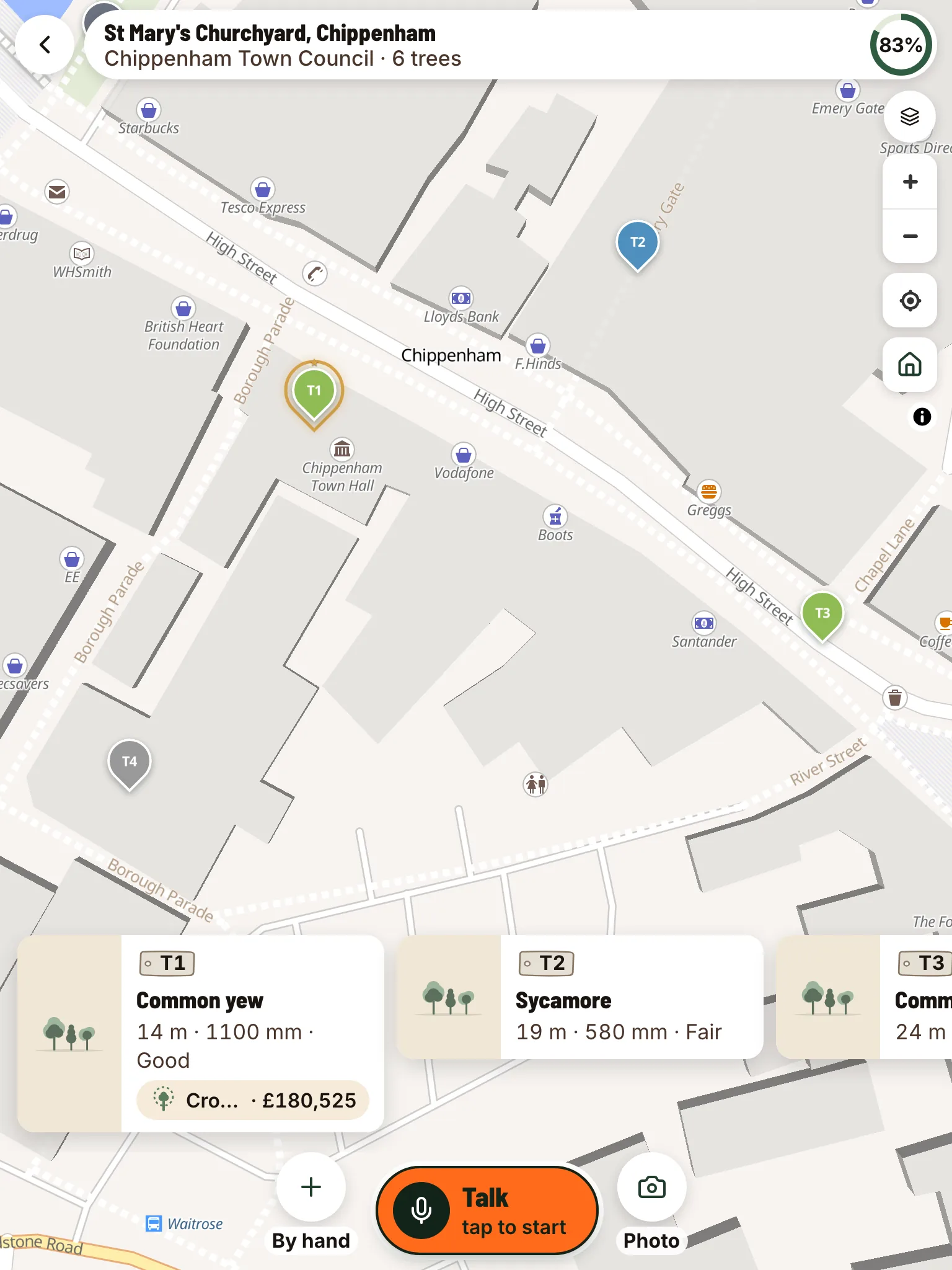
Drop a pin per tree as you walk. Each pin keeps its own record: species, size, condition, photos and what you said about it, so next year’s visit starts where this one finished. The site polygon shades the job area. Works the same on a phone or the tablet already in the truck.

UK standards pack · BS 5837 retention categories

  • Highest · Retain · long-term value
  • Moderate · Retain with care
  • Lower · Retain unless constrained
  • Remove · Recommended for removal
Every tree pinned on the site, each with its own record.
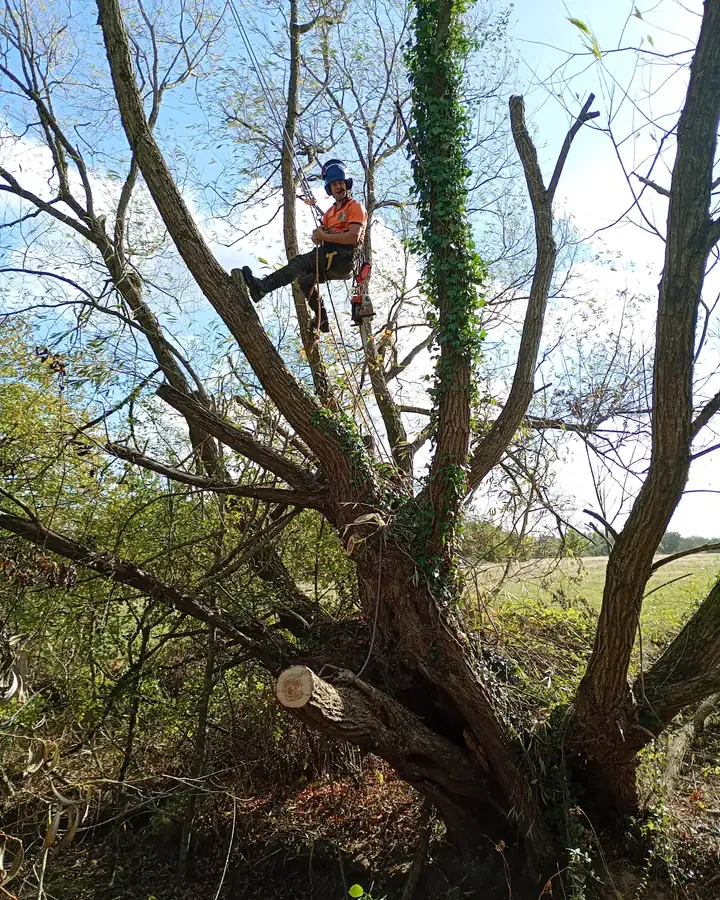
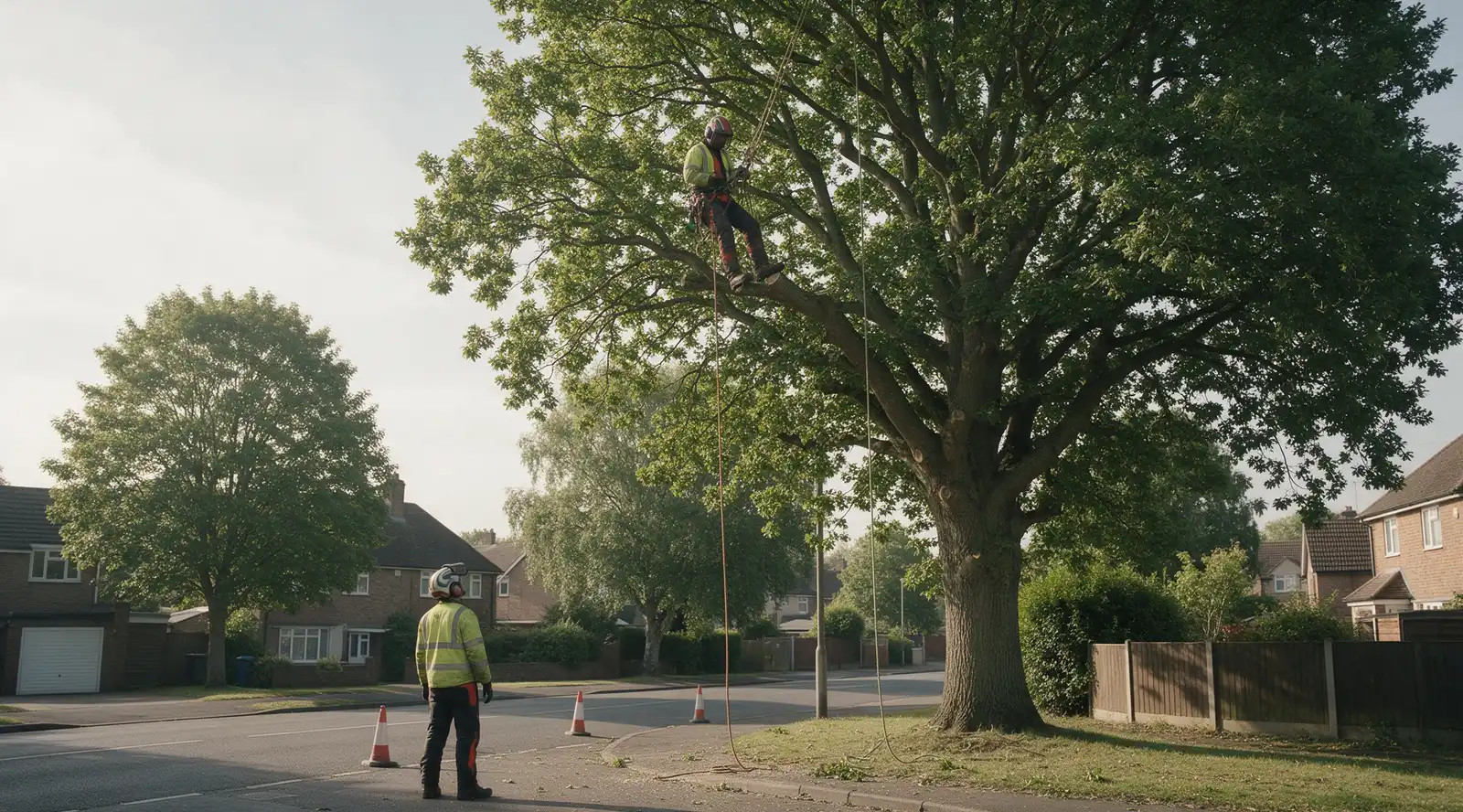
  • Climbing on two ropes, in the crown.

    Climbing on two ropes, in the crown.

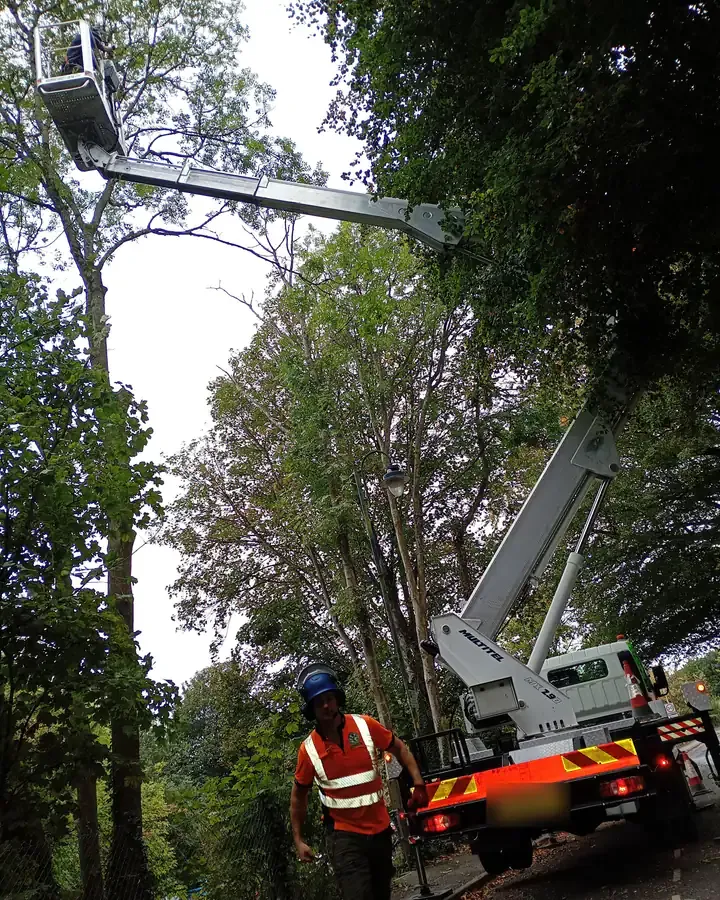
  • Aerial lift at the roadside, crew below.

    Aerial lift at the roadside, crew below.

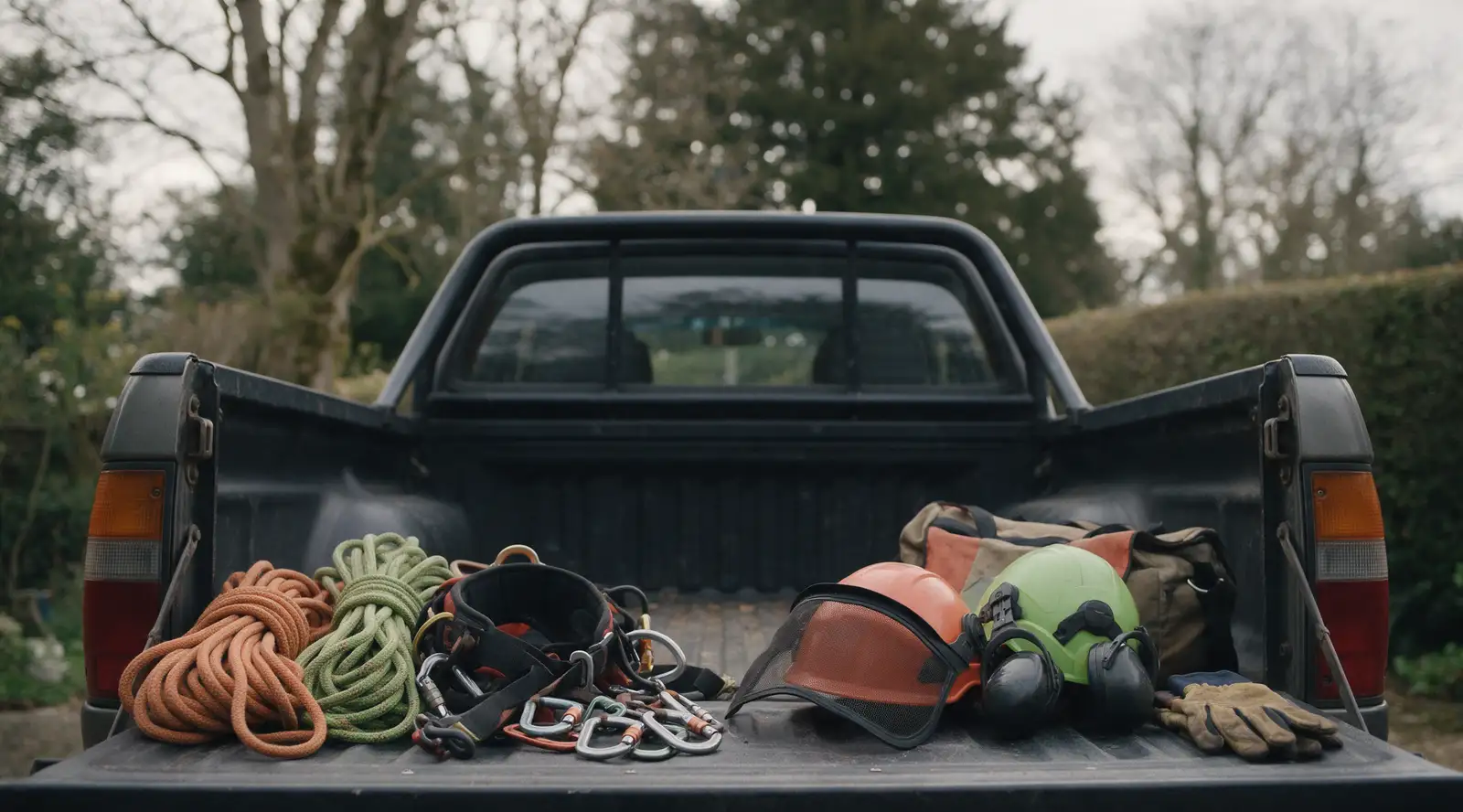
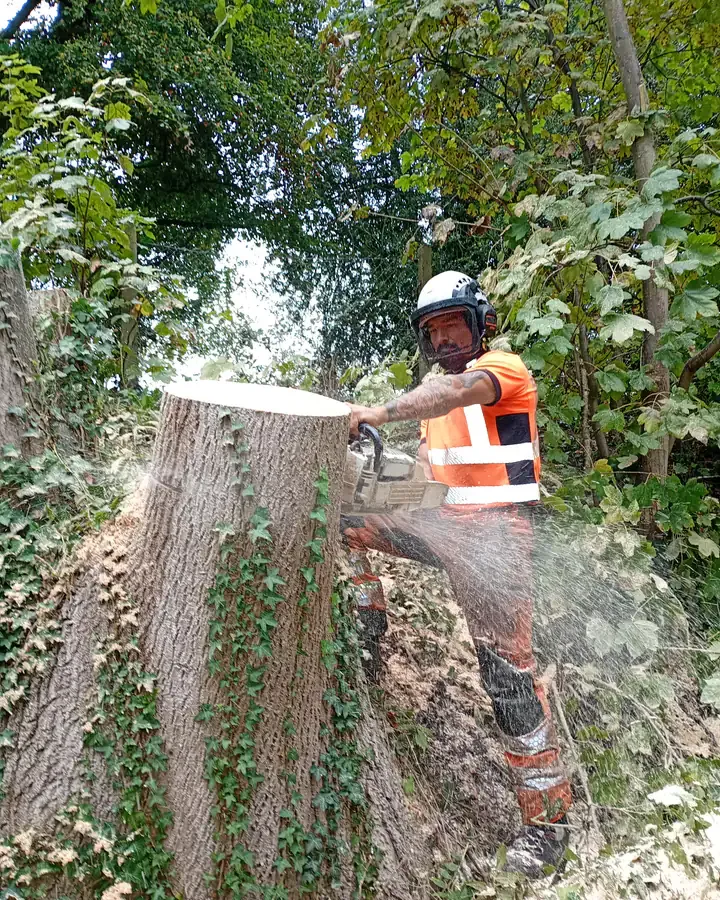
  • Cutting a large stump down with a chainsaw.

    Cutting a large stump down with a chainsaw.

A customer-ready PDF, drafted for you.
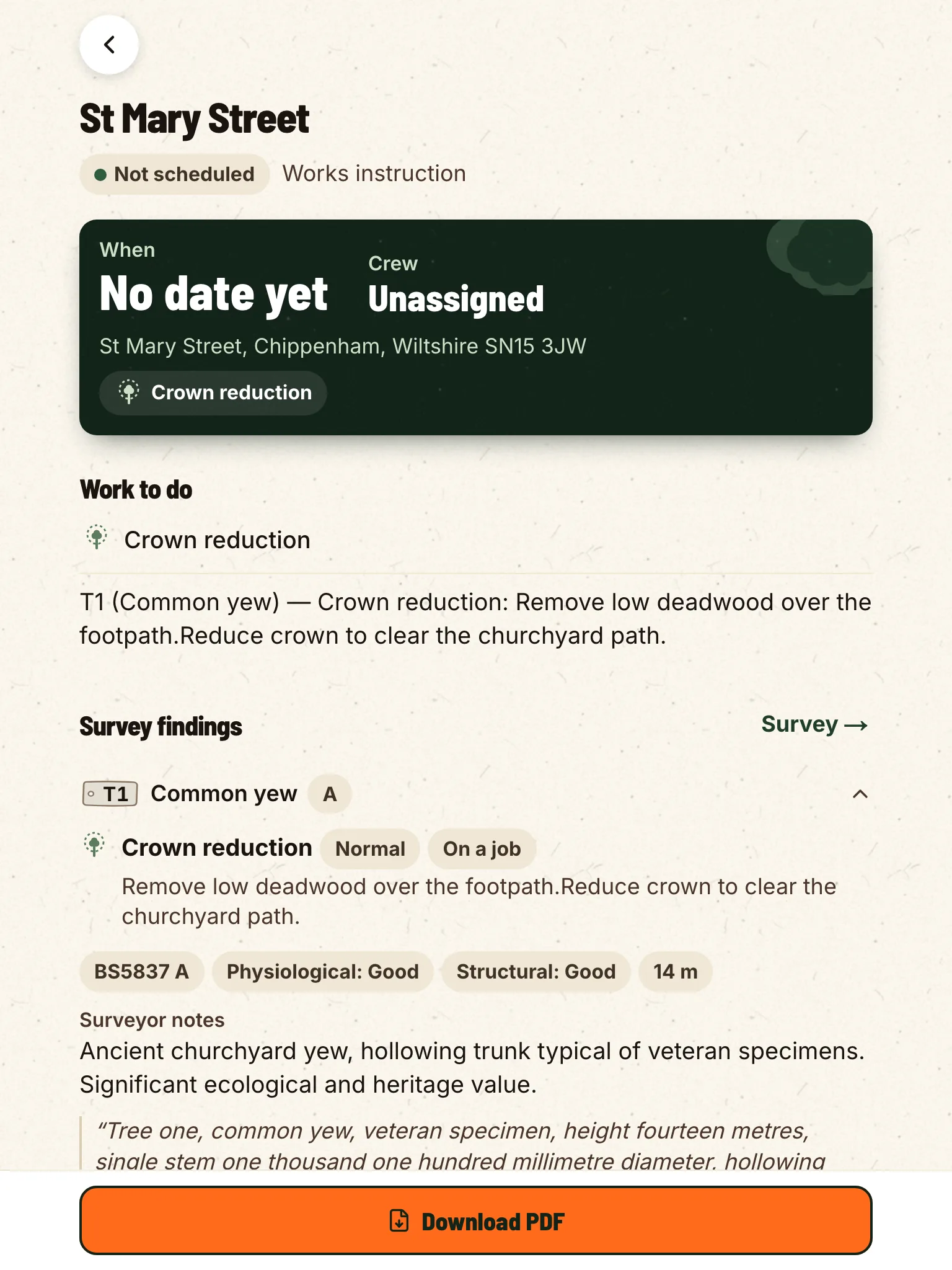
Cover, methodology, schedule of trees, conclusions, drafted from your voice notes and the fields they filled. You edit, sign and send it the same day you walked the site. Doing planning work in the UK? The BS 5837 report pack is bundled, not an add-on.

  • Schedule of trees
    REF · species · category · age · height · diameter · RPA
  • Site outline
    Polygon shaded by retention category
  • Drafted conclusions
    Per-tree recommendations + summary
  • Methodology
    Templates in your house style and local standard
  • Data exports
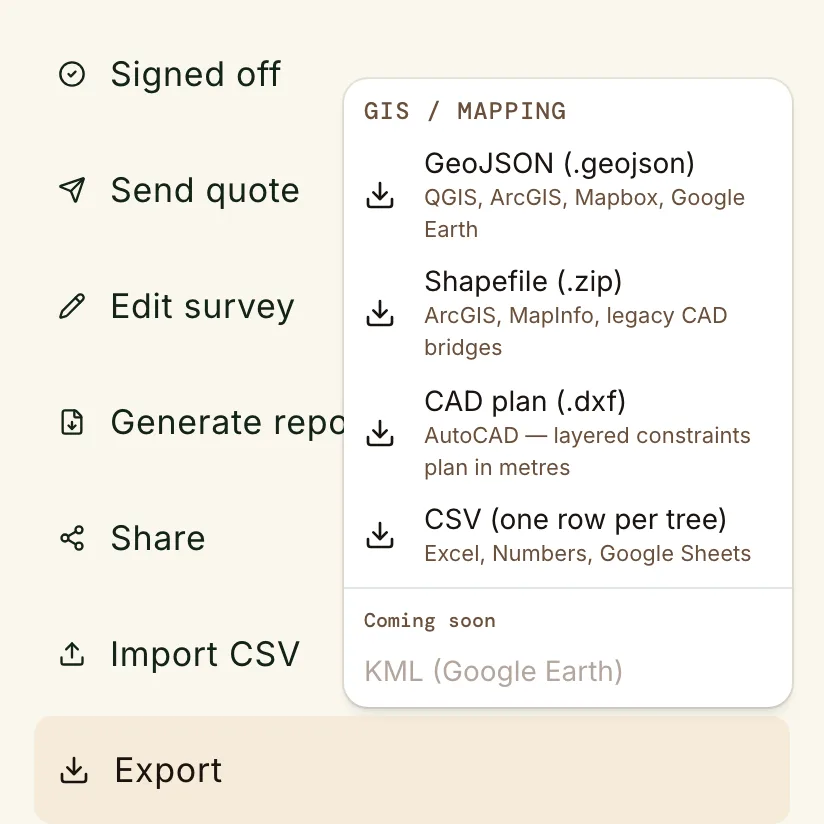
    GeoJSON, Esri Shapefile, and CSV for QGIS or ArcGIS
The works instruction, drafted from the survey: the work to do and what the survey found.
Export the survey for any GIS: GeoJSON or Shapefile.

Your country’s standard.

Each country gets its own survey types, fields and customer report. The BS 5837 report pack is bundled for UK firms today. Tell us which standard you need and we will build it.

The app speaks seven languages, and so do the documents the customer gets: the quote and the completion report, not just the buttons.

  • English
  • Deutsch
  • Français
  • Español
  • Português
  • Italiano
  • Nederlands
Request your standard
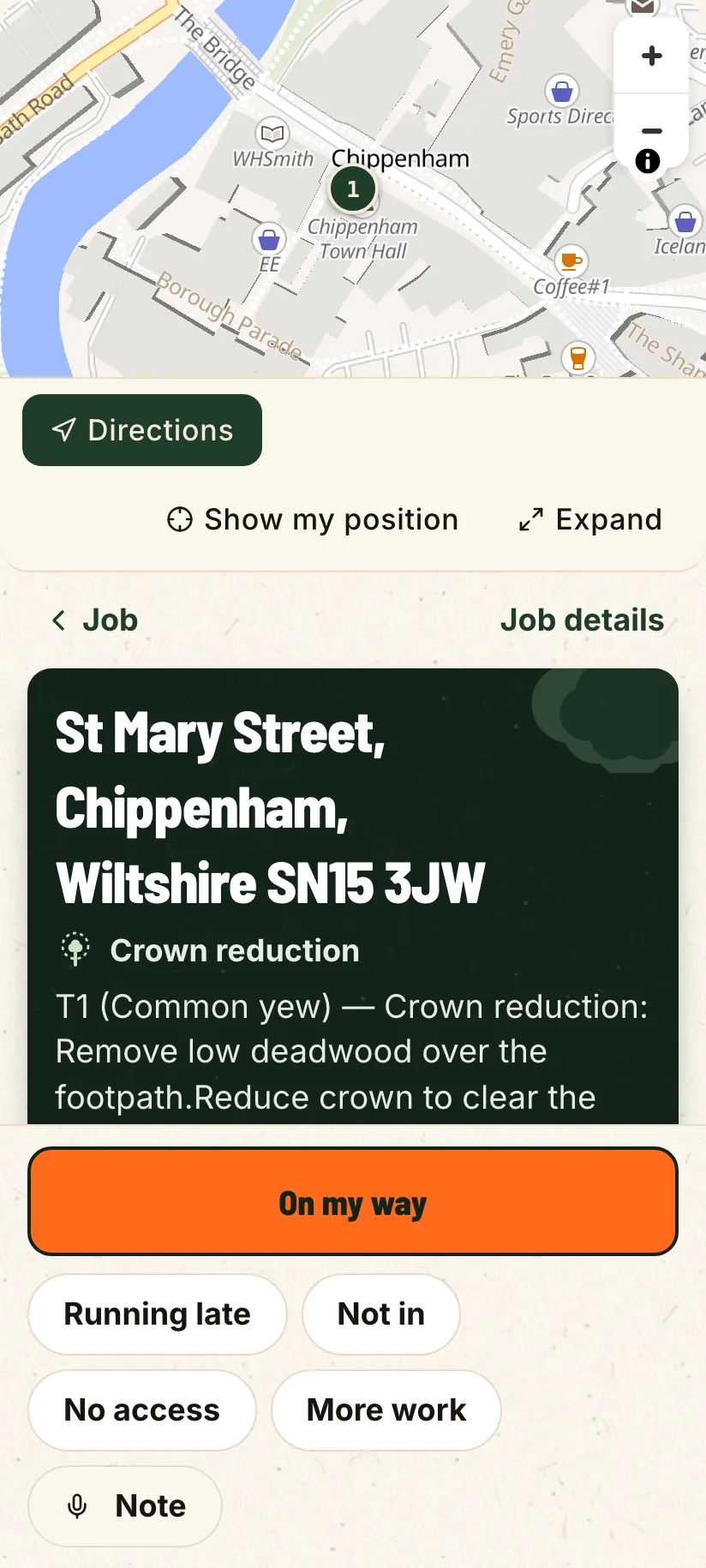
The job on the crew’s phone: the site, the directions and the work to do.

The job gets written down twice.

Once on the back of a job sheet at the tree, once again in the van or at the kitchen table after tea. The tools built for this were built for a stylus on a 10″ tablet, not gloved hands and rain.

  • 2×every tree written down twice, at the tree, then again at night
  • 9pmwhen the quotes actually get written, after a day on the saw
  • 0what the tree you looked at but never quoted is worth

Walk a real job in the live demo.

Sandboxed account, no sign-up. Drop a pin, dictate a tree, draft the report. Same build that ships in the app.

Open the live demo

Flat prices, and the crew is free.

One flat price for one office seat, one for five. Direct contract for Enterprise.

Solo

$24.99/mo

or $199.99/yr

For one person in the office. Your crew is free.

Practice Crew

$129.99/mo

or $999.99/yr

For more than one person in the office. One flat price, five office seats.

Enterprise

from$1,199/mo

or $11,990/yr

For councils, larger firms, and anyone past five office seats.

Try it on your next site.

14-day free trial, no card. Download it tonight and walk a job on Monday.